What gets deleted
- Your parent account and login credentials
- All child profiles created under your account
- Watch history and viewing analytics for every profile
- App preferences, passcode, and parental control settings
Your account is recoverable for 30 days after deletion. After that recovery period, everything listed above is permanently removed and cannot be restored.
How to delete your account
Step 1
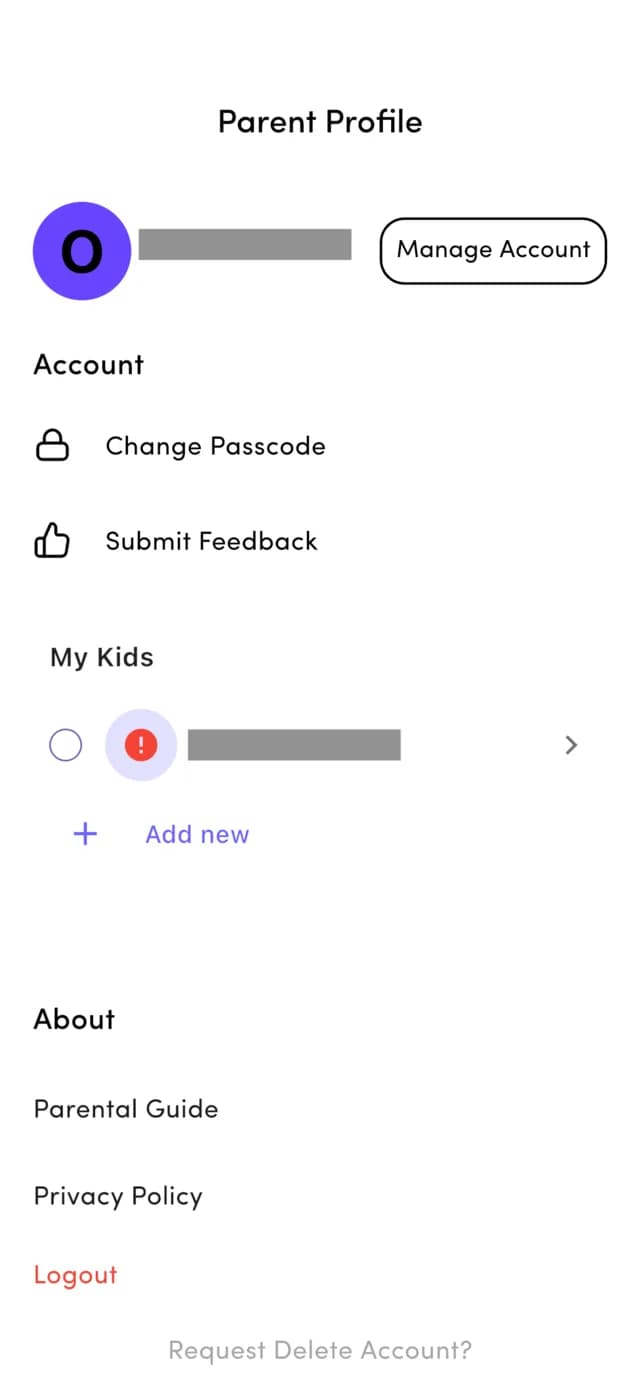
Scroll down and tap Request Delete Account
On the Parent Profile screen, scroll to the very bottom of the page, past the About section, until you see the grey Request Delete Account? link, then tap it.
Step 2
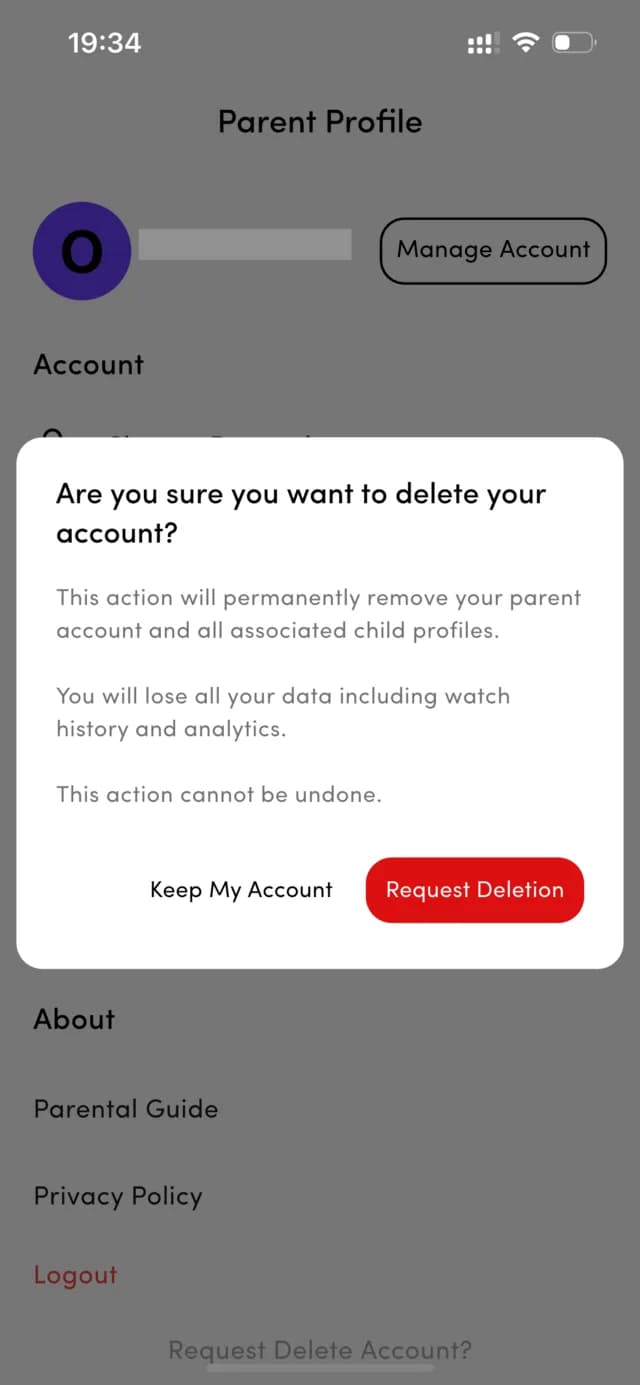
Confirm the deletion request
A confirmation dialog appears. It explains that deletion permanently removes your parent account and every child profile attached to it, including watch history and analytics. Tap Request Deletion to continue, or Keep My Account to cancel.
Step 3
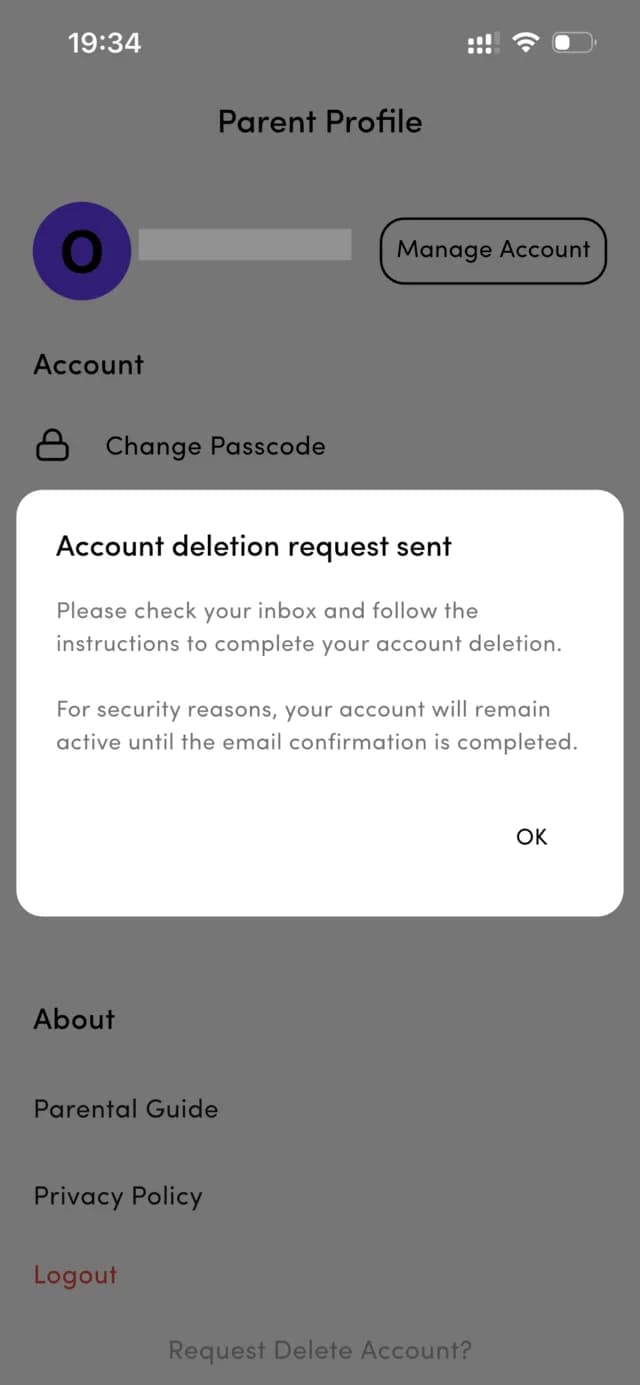
Note the email confirmation notice
A second dialog confirms that your deletion request has been sent. For security, your account stays active until you confirm the request by email. Tap OK to close the dialog.
Step 4
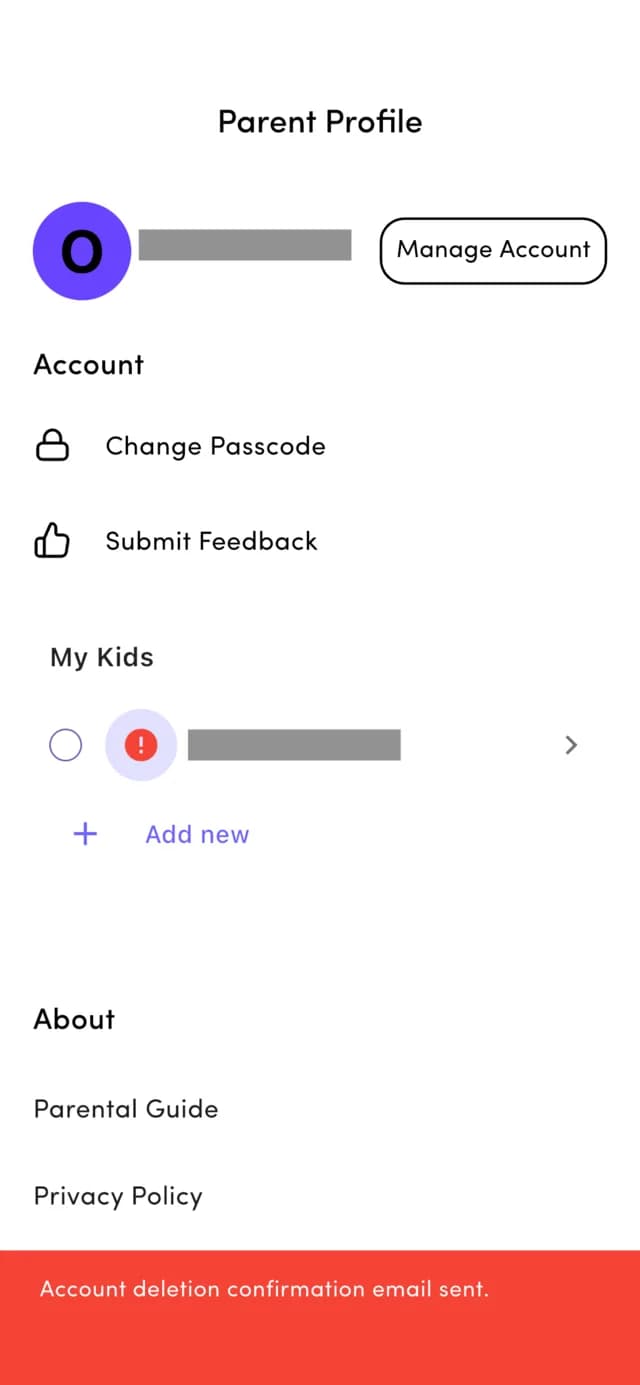
Confirm the email has been sent
A banner appears at the bottom of the Parent Profile screen confirming that the account deletion confirmation email has been sent to the email address registered to your account.
Step 5
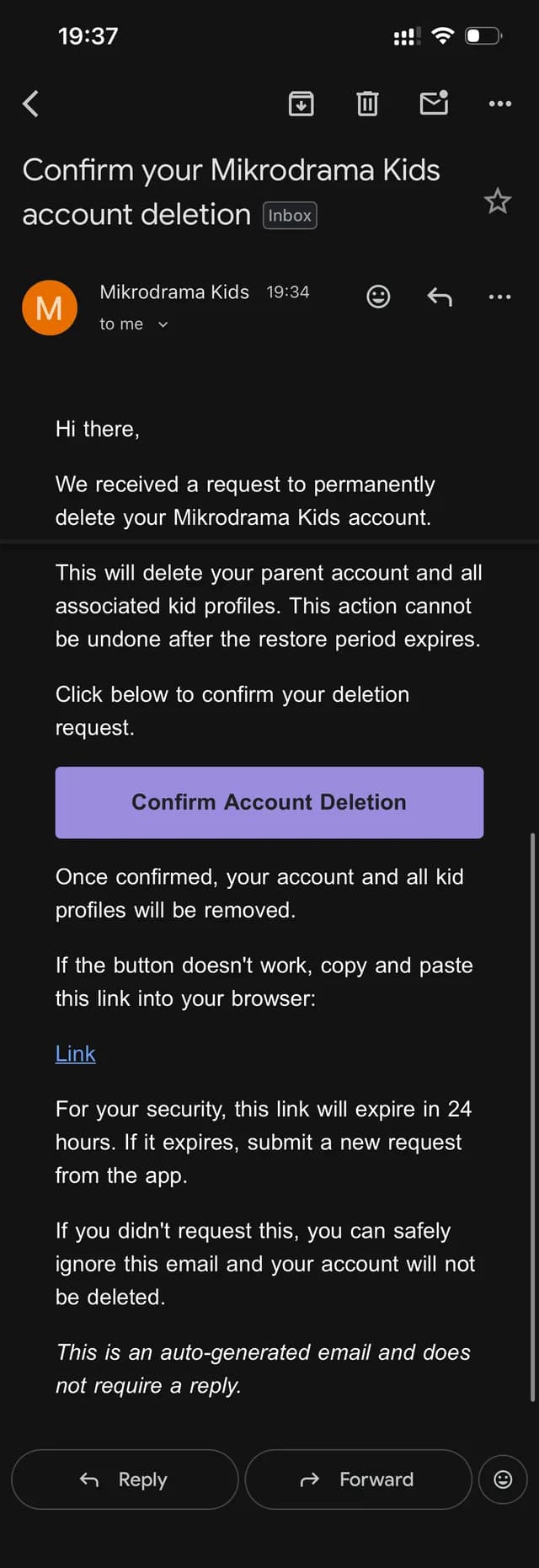
Open the email and tap Confirm Account Deletion
Open the email titled “Confirm your Mikrodrama Kids account deletion” in your inbox and tap Confirm Account Deletion, or copy the fallback link into your browser if the button does not work. This link expires 24 hours after the request — if it expires, simply submit a new request from the app. If you did not request the deletion, ignore the email and nothing will be deleted.
Step 6
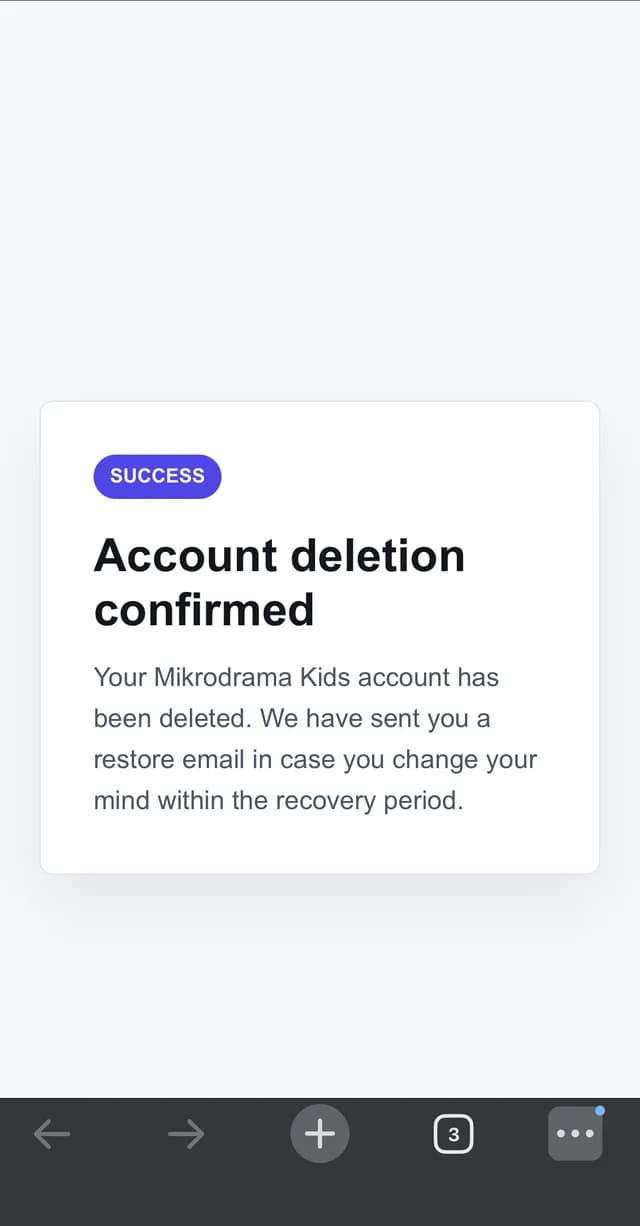
Your account is deleted
Your browser opens a success page confirming that your Mikrodrama Kids account has been deleted. At this point your parent account and all child profiles are removed from the app.
Step 7
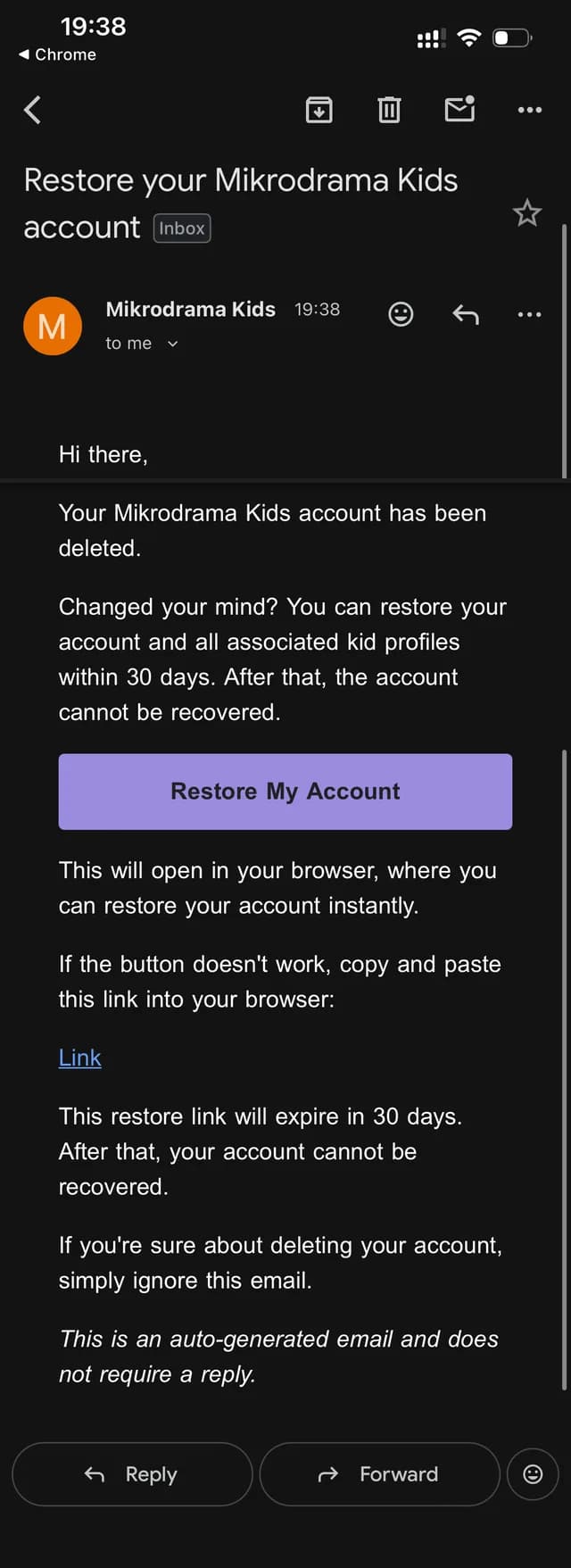
Restore within 30 days, or it becomes permanent
You will also receive an email titled “Restore your Mikrodrama Kids account”. If you change your mind, tap Restore My Account within 30 days to bring back your account and all associated kid profiles instantly. After those 30 days the restore link expires and your account and all of its data are permanently removed and cannot be recovered. If you are sure about deleting your account, simply ignore this email.
Need help?
If you cannot access the app or the confirmation email does not arrive, email us from the address registered to your account and we will process the deletion for you.
support@mikrodramakids.com